
Finger drum pad
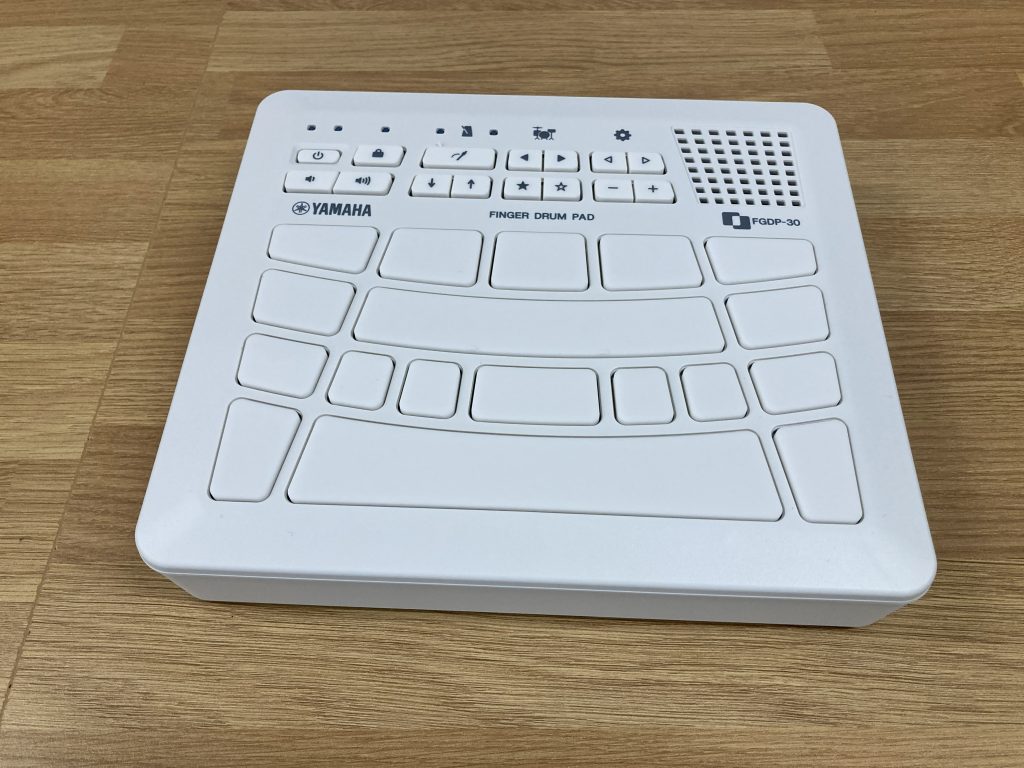
by Yamaha
Age range
8 years +
What’s included?
- 1x Yamaha finger drum
- 1x USB charging cable
- 1x user guide
What else might you need?
- Compatible plugs or charging towers for the USB cables (which DMS can supply).
What is it?
The Yamaha Finger pad drum is a dedicated finger drum instrument with a built-in Tone Generator and speaker. It is a standard model of the FGDP series that is rechargeable and allows you to enjoy playing drums anytime, anywhere.
How does it charge?
Using the included USB cable to a USB charger or laptop. Can be used independently or whilst charging.
How to set it up:
Press the ‘Power’ button and you are ready to start making drum tracks! No additional equipment needed.
Quick start guide:
- Press the ‘Power’ button to switch the device on.
- Each pad on the unit depicts a different sound of a drum kit. The more frequently used drums (Bass, Snare and Hi Hat) have been assigned the larger, more central pads.
- Tap each pad to create your drum pattern.
- 39 pre-programmed drum kit sounds. These can be activated via the arrow buttons below the drum kit icon. Kits include: Standard kit, Electronic, Hip-hop etc.
- Metronome can be used to support time keeping. To activate the metronome, press the button below the metronome icon. Tempo can be altered via the arrow buttons situated next to the metronome button.
Storage requirements and dimensions
- To be stored in a dry area, away from liquids or extreme heat
- L22cm x W19.5cm x H4cm
Why should you use it?
- Excellent device to be used with a DAW, to allow the drum loop to be created more rhythmically as a midi controller.
- Allows better accessibility for children who cannot access or use a standard drum kit.
Further support
Click below to follow these ‘Easy to use’ finger drum pad tutorials:
DMS hire price
Special launch offer! – Any mix of five items from the Accessible Instrument and Technology Library free for the first term of hire (subject to availability). Outside of this special offer: £5.00 per instrument per term.